
Just by clicking a link, it's possible for an attacker to steal a GitHub token that can read and write to your repos — including private ones.
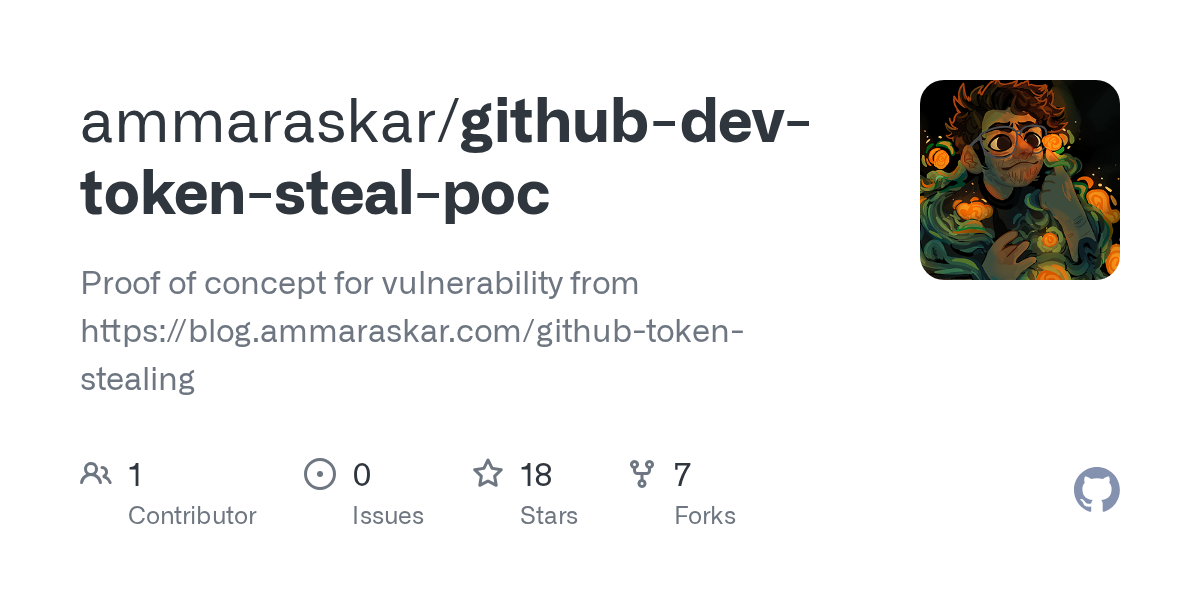
This isn't a hypothetical vulnerability or a "theoretical risk" scenario. Security researcher Ammar Askar published a working proof-of-concept on June 2, 2026 that demonstrates the attack against the browser-based version of VSCode. The story hit the front page of Hacker News with over 600 points, and for good reason — it affects anyone who uses GitHub and VSCode.
I use VSCode every day for writing code, editing this blog's Ghost theme, and managing my homelab scripts. So when I saw this, I stopped what I was doing and checked my own setup. Here's what I found, how this bug works in plain terms, and what you need to do to protect yourself.
What's the Attack?
VSCode has a feature called webviews — embedded iframes that render things like Markdown previews and Jupyter notebook outputs. These webviews use a different browser origin (vscode-webview://) from the main editor window (vscode-file://) so that any JavaScript running inside them can't access the core VSCode process. That's the sandbox.
The problem is that webviews need keyboard shortcuts to work. When you press Ctrl+F to search inside a preview, that keypress needs to reach the iframe. VSCode solves this by bubbling up keydown events from the webview to the main window. JavaScript running inside the webview can listen for keypresses and forward them to the host.
Here's the catch — nothing stops a script running inside that webview from pretending to be the user pressing keys. Attackers can dispatch synthetic keyboard events that VSCode treats as real user input.
The Exploit Chain
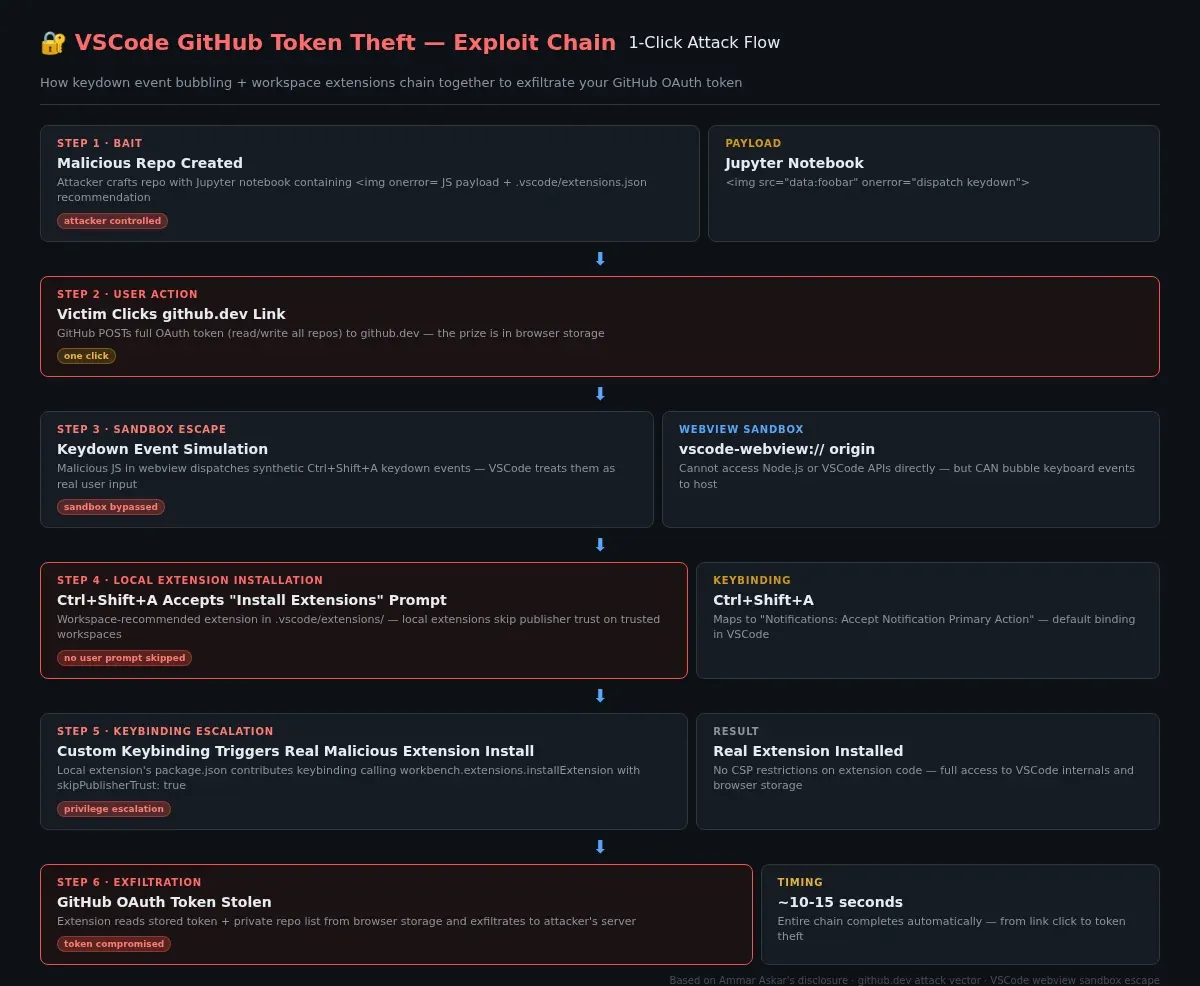
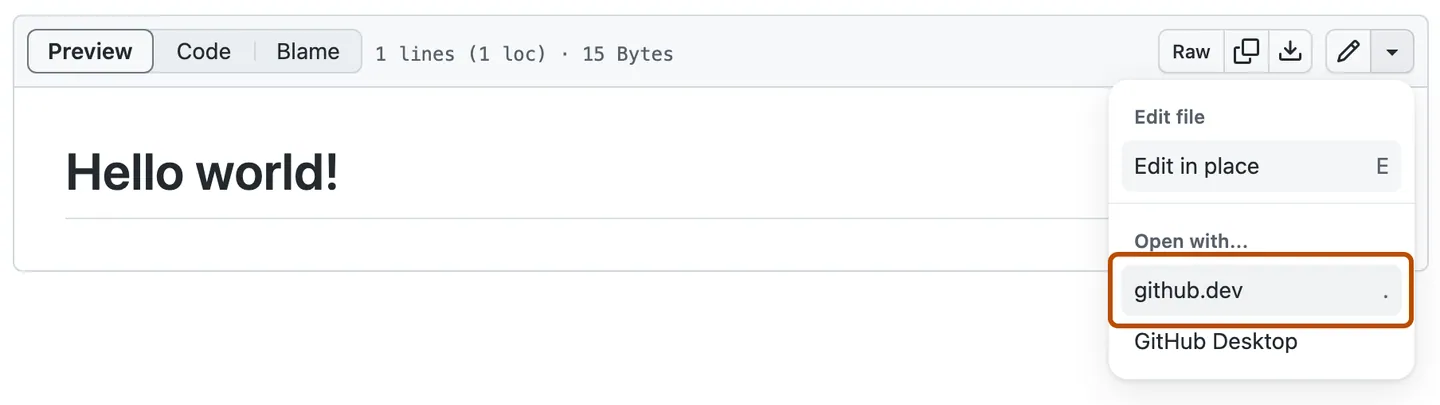
The attack works against github.dev — the browser-based version of VSCode that GitHub launches when you change github.com to github.dev in a repo URL. GitHub POSTs a full OAuth token to github.dev that has read/write access to all repos you can access, not just the one you're viewing. That token is the prize.
Here's how an attacker chains the exploit together:
Step 1: The Bait
An attacker creates a GitHub repo containing a Jupyter notebook with a malicious payload. Jupyter notebooks rendered in VSCode webviews can execute arbitrary JavaScript using a common trick — an <img> tag with an onerror handler:
<img src="data:foobar" onerror="/* malicious JS here */">
This executes inside the webview sandbox, which means it can't directly access Node.js APIs or VSCode internals. But it can dispatch keyboard events.
Step 2: Keydown Event Simulation
The attacker's JavaScript waits for VSCode to finish loading, then dispatches a synthetic keyboard event:
window.dispatchEvent(
  new KeyboardEvent("keydown", {
    key: "a", code: "KeyA", keyCode: 65,
    ctrlKey: true, shiftKey: true
  })
);
The keyboard shortcut Ctrl+Shift+A maps to Notifications: Accept Notification Primary Action — a default VSCode keybinding that clicks the primary button on whatever notification is currently displayed.
Step 3: Extension Installation
The malicious repo includes a .vscode/extensions.json file that recommends a workspace extension:
{
  "recommendations": [
    "HackerMan.evil-extension"
  ]
}
When VSCode opens the repo, it pops up a notification: "This workspace recommends extensions. Install?" The attacker's JavaScript accepts that notification via the Ctrl+Shift+A shortcut.
But there's a catch — newer versions of VSCode show a publisher trust dialog before installing extensions from unknown publishers. The exploit bypasses this by using a local workspace extension placed in .vscode/extensions/ inside the repo. Local extensions skip the publisher trust check if the workspace is trusted, which github.dev workspaces are by default.
Step 4: Custom Keybinding Escalation
The local workspace extension can't execute arbitrary code directly (Content Security Policy blocks it on the web version). But it can contribute custom keybindings to VSCode. The package.json adds a keybinding that calls workbench.extensions.installExtension with skipPublisherTrust: true:
"contributes": {
  "keybindings": [
    {
      "key": "ctrl+f1",
      "command": "runCommands",
      "args": {
        "commands": [{
          "command": "workbench.extensions.installExtension",
          "args": [
            "HackerMan.real-malicious-extension",
            {
              "donotSync": true,
              "context": { "skipPublisherTrust": true }
            }
          ]
        }]
      }
    }
  ]
}
Step 5: Token Exfiltration
With the real malicious extension installed, the attacker now has full extension-level access inside github.dev. That extension reads the stored GitHub OAuth token and exfiltrates it — along with a list of all your private repos.
The whole chain happens automatically in about 10-15 seconds after you click the link.
Does Desktop VSCode Have the Same Bug?
Yes. The desktop version of VSCode has the same webview architecture, so the same keydown event bubbling exploit works there too. The practical difference is that on desktop, the attacker would need to convince you to clone their repo and open the malicious notebook. If an attacker had some other XSS vector that can launch a webview, they could chain this into full remote code execution on your machine.
In the browser version (github.dev), the attacker only needs you to click a link — no cloning required.
What Has Microsoft Done?
Microsoft responded quickly once Askar disclosed the bug publicly on June 2. According to reports from the VSCode issue tracker, by June 3 Microsoft had merged at least two fixes:
- Stopgap fix: Added a confirmation dialog when opening notebooks in the web version of VSCode. This gives users a chance to leave the page before any JavaScript executes.
- Complete fix: Blocked the
skipPublisherTrustbypass for commands called via keybindings. Also prevented keydown event bubbling from notebook webviews.
The VSCode team's defense-in-depth approach — using CSP headers, script-src 'none' policies, and DOMPurify for Markdown rendering — limited the damage to webviews that can already execute JavaScript (like Jupyter notebook outputs). If a similar bug existed in the Markdown preview, the impact would have been far worse: one-click RCE on desktop from simply viewing an extension page.
How to Protect Yourself
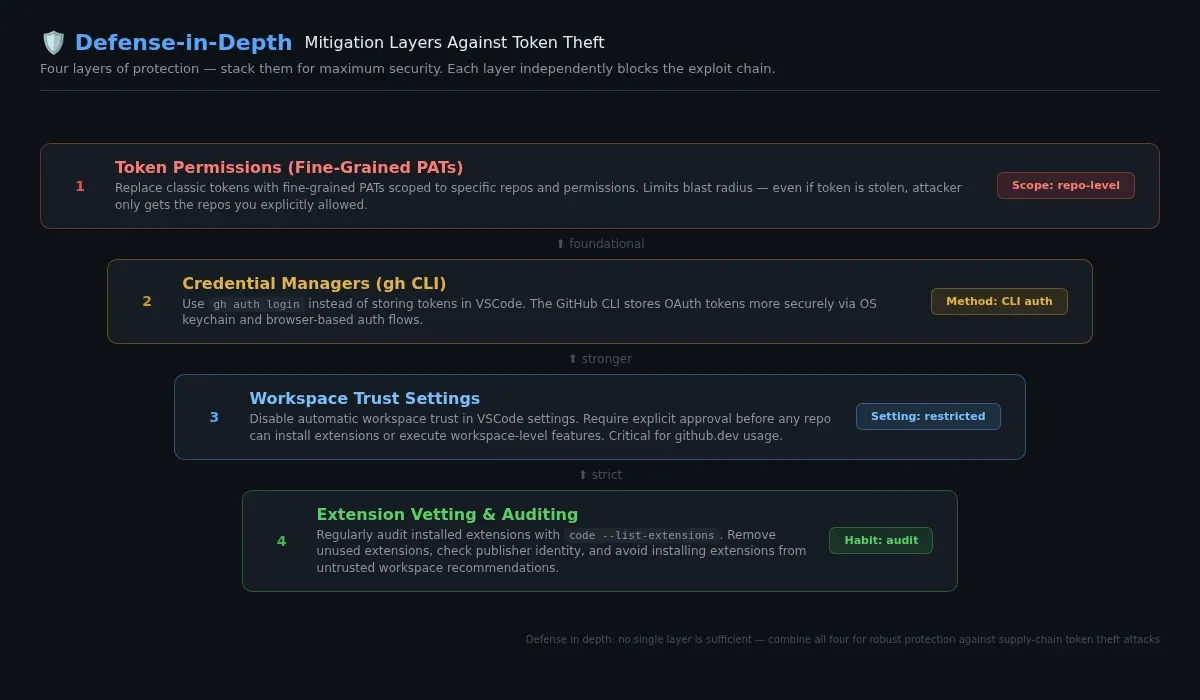
Even with the fixes applied, it's worth locking down your setup. Here's what I did:
1. Clear github.dev Site Data
If you've ever used github.dev, clear your browser data for the domain. This removes any stored session tokens and forces a fresh authentication flow:
In Chrome: - Click the padlock icon in the URL bar - Go to Cookies and site data > Manage on-device site data - Find github.dev and delete it
In Firefox: - Right-click the page → View Page Info → Permissions → Clear Cookies and Site Data
2. Use Fine-Grained PATs Instead of Full Tokens
GitHub deprecated regular personal access tokens in favor of fine-grained PATs, but a lot of developers (myself included) still have old tokens floating around. Go to GitHub > Settings > Developer settings > Personal access tokens > Tokens (classic) and revoke any you don't actively use. Replace them with fine-grained PATs scoped to specific repos and permissions. This is the same kind of security hygiene I've covered in other posts about securing your online accounts — limit what's exposed and rotate what can't be limited.
# Check what tokens the GitHub CLI has cached
gh auth status

# Revoke a token via CLI
gh auth logout
3. Use gh CLI Instead of Token-Based Auth
The GitHub CLI stores OAuth tokens more securely than VSCode extensions do. Switch to using gh for authenticated API calls and git operations:
# Authenticate via browser (safer)
gh auth login

# Configure git to use gh as credential helper
gh auth setup-git
4. Audit Your VSCode Extensions
I wrote about why you might want to consider alternatives to VSCode in a previous post, but regardless of which editor you use, audit your extensions:
# List all installed VSCode extensions
code --list-extensions

# Check for any you don't recognize or haven't used recently
5. Enable Two-Factor Authentication on GitHub
This won't prevent token theft, but it limits what an attacker can do with a stolen session. With 2FA enabled, the attacker can't add new SSH keys or change account settings even if they have your token.
The Bigger Picture
This bug is a reminder that VSCode's security model relies heavily on its webview sandbox — and that sandbox has cracks. The attack is creative in how it chains together seemingly unrelated features: keyboard shortcuts, workspace extensions, and publisher trust.
For developers, the takeaway is to treat repository links — especially those pointing to .dev or web-based editors — with the same wariness as executable files. A link to a repo is a link to code, and in this case, that code can act on your behalf.
Askar chose full disclosure rather than responsible disclosure because of a poor experience with Microsoft's Security Response Center (MSRC) on a previous VSCode bug. He argues that public disclosure is the only tool researchers have to push for better security practices. Whether you agree with that approach or not, the result is a bug that got fixed within 24 hours of going public — which is a lot faster than many responsibly-disclosed vulnerabilities I've seen.
References

 ammaraskar
 microsoft
- my previous post looking at VSCode alternatives
 Techie Mike