

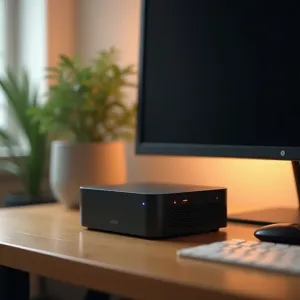
Scroll through r/homelab for ten minutes and you'll see server racks that look like data center colocations. 42U cabinets. Enterprise switches with SFP+ cages blinking amber. Dual Xeon boxes drawing 400 watts. Kubernetes clusters running on five nodes for a Plex server and Pi-hole.
I get it. The hardware is cool. The blinking lights are satisfying. And there's a real dopamine hit from provisioning a VM through Proxmox the first time.
But here's the thing: most of that gear sits idle 23 hours a day. The average homelab runs Plex, a few Docker containers, maybe Home Assistant, and a file share. That workload fits on a $150 mini PC with room to spare.
After a year of running my own setup, here's what I've learned about building a homelab that actually earns its keep — without the overcomplication.
The Problem With Homelab Culture
The homelab community has a scaling problem, and it's not technical. It's social. When every top post on Reddit shows a half-rack of enterprise gear, the message is clear: this is what a real homelab looks like.
New people internalize that. They think they need a managed switch to run Docker. They spend weekends reading about VLANs before they've deployed a single container. They price out Dell PowerEdge servers when a used Optiplex would crush the same workload at 10% of the power draw.
I almost fell into this trap myself. Before I bought my BMAX Pro 8, I spent two weeks researching rack-mount cases and PoE switches. For what? A Plex server and a few dev tools?
The turning point was realizing I could list every service I actually wanted to run on a Post-it note. If your requirements fit on a sticky note, they'll fit on a mini PC.
What You Actually Need (vs. What You Don't)
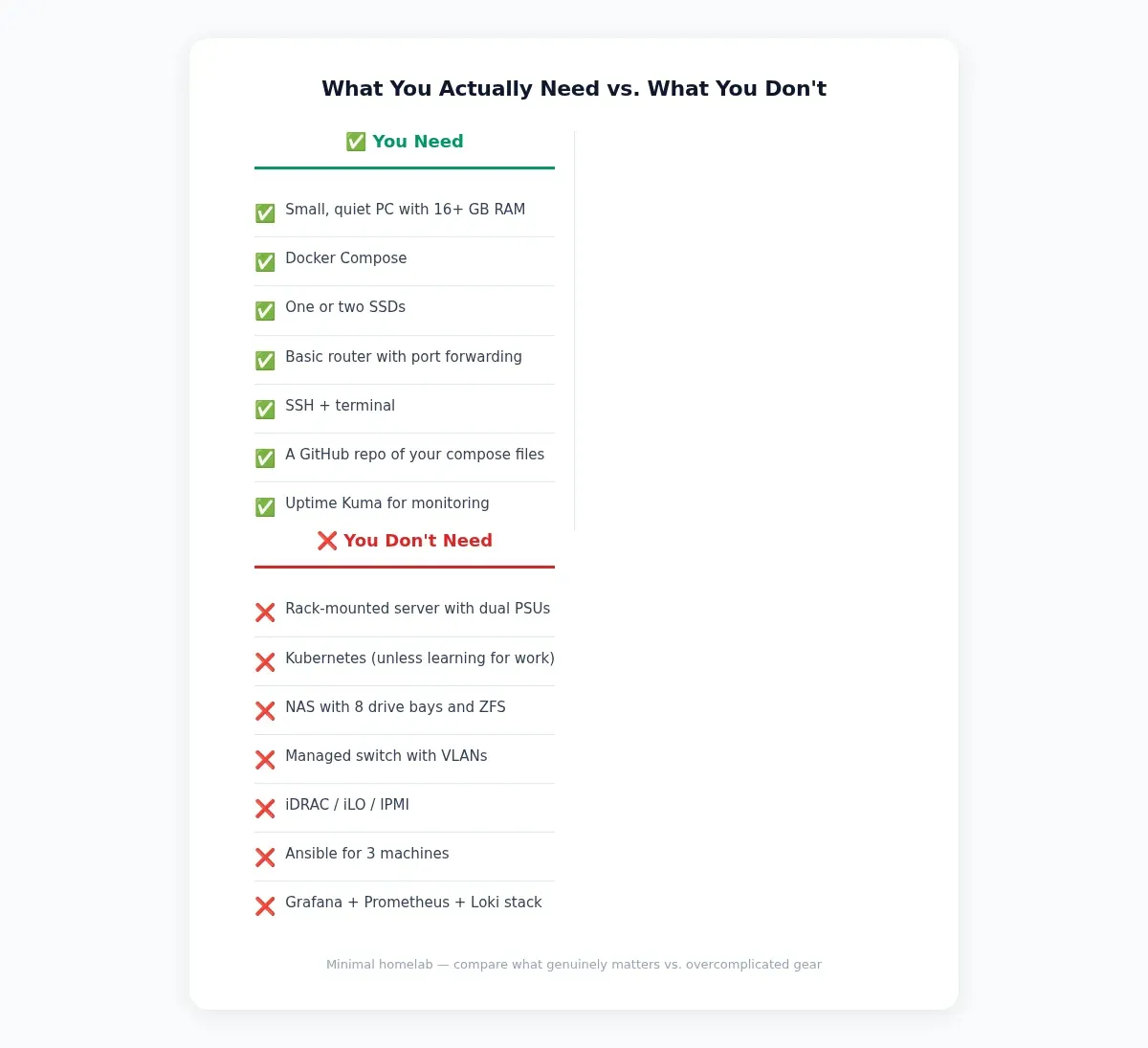
Let's cut through the noise. Here's the honest breakdown.
| You Need | You Don't Need |
|---|---|
| A small, quiet PC with 16+ GB RAM | A rack-mounted server with dual PSUs |
| Docker Compose | Kubernetes (unless you're learning it for work) |
| One or two SSDs | A NAS with 8 drive bays and ZFS |
| A basic router with port forwarding | A managed switch with VLAN segmentation |
| SSH + terminal | iDRAC / iLO / IPMI |
| A GitHub repo of your compose files | Ansible playbooks for 3 machines |
| Uptime Kuma for monitoring | Grafana + Prometheus + Loki stack |
None of the "don't need" items are wrong. If you're a network engineer learning VLANs for a certification, buy the managed switch. If you run a business from your homelab, sure, invest in redundancy. But for the rest of us — developers, tinkerers, people who want Plex and a few containers — the simple version works.
My Stack: One Box, Docker Compose, Done
Here's what I actually run. One BMAX Pro 8 mini PC with an Intel i7-1365U and 24 GB of DDR4 RAM. It's silent, draws about 25 watts, and cost me roughly $150 used. It sits on a shelf behind my monitor. No rack. No managed switch. Just a small box on a shelf. A UPS is nice, but not required on day one.
On this one box, I run:
- Plex Media Server — streaming to two TVs and my phone. Transcoding works fine for 1080p content on the Intel Iris Xe iGPU.
- Radarr, Sonarr, qBittorrent — the standard media automation stack. I wrote a full guide on setting these up on Ubuntu if you want the step-by-step.
- Hermes Agent — an always-on AI assistant I set up on this mini PC. Handles cron jobs, answers questions, manages my kanban board.
- n8n — workflow automation. I use it to cross-post blog content, send notifications, and run scheduled tasks.
- Uptime Kuma — a dead-simple status page. I know within 30 seconds if a service goes down.
- Ollama — local LLM inference. Small models like Gemma 4 e2b and Llama 3.2 3B run at 10-15 tokens per second. Good enough for quick coding help and drafting. I covered the hardware requirements in detail in my old-hardware AI guide.
- A few Postgres instances — one per project. Lightweight, no noticeable CPU impact.
All of this runs through Docker Compose. One docker-compose.yml file. One command to bring everything up:
docker compose up -d
That's it. No Kubernetes manifests. No Helm charts. No Terraform. Just a compose file checked into a private GitHub repo so I can rebuild from scratch in ten minutes if the SSD dies.
Why Not Proxmox?
I have a full
 Techie Mike
on this site, so I'm not anti-Proxmox. It's great for learning virtualization, isolating services into separate VMs, and experimenting with different operating systems.
But if you're running a handful of Docker containers, Proxmox adds a layer you don't need. Docker already isolates services. Adding a hypervisor underneath means more RAM overhead, more disk space for VM images, and another thing to update. On a 24 GB machine, every gigabyte counts.
Start without Proxmox. If you later need a Windows VM or want to run multiple Linux distros side by side, the Proxmox guide is there. But don't install it because Reddit told you to.
The Services That Actually Get Used
Here's something I've noticed after a year: about 80% of the services I've ever deployed got abandoned within a month. The ones that stick are the ones that solve a real, recurring problem.
The test is simple. If you'd notice within 24 hours that a service went down, it's worth running. If you'd go a week without realizing it crashed, delete it. It's burning RAM and adding maintenance overhead for nothing.
My keepers:
- Media server stack. If you watch content, Plex/Jellyfin + Radarr/Sonarr is the core that justifies the whole machine.
- A status monitor. Uptime Kuma takes 30 seconds to deploy and saves you from the "is the server down or is my internet out?" panic. It sends a Telegram notification when something fails.
- One automation tool. n8n, Node-RED, or just a cron job. Pick one. Don't run three.
- A local AI. Having an LLM that works during internet outages and doesn't log your prompts? Worth the RAM. Start with Ollama and
gemma4:2b.
Everything else — databases, caches, message queues — you spin up when a project needs them, not before.
Cost Breakdown: Minimal vs. Overcomplicated
Here's what a year of homelab looks like at two different scales.
| Minimal ($150 mini PC) | Overcomplicated (rack server) | |
|---|---|---|
| Hardware | $150 (used mini PC) | $800+ (used server + rack + switch) |
| Power (annual) | ~$25 (25W × 24h × 365d × ~$0.12/kWh) | ~$420 (400W × 24h × 365d × ~$0.12/kWh) |
| Noise | Silent | 50-60 dB (fridge-level hum) |
| Space | Fits behind a monitor | Needs a closet or basement |
| Maintenance | docker compose pull && docker compose up -d |
Firmware updates, drive replacements, switch configs |
| Year 1 total | ~$175 | ~$1,220 |
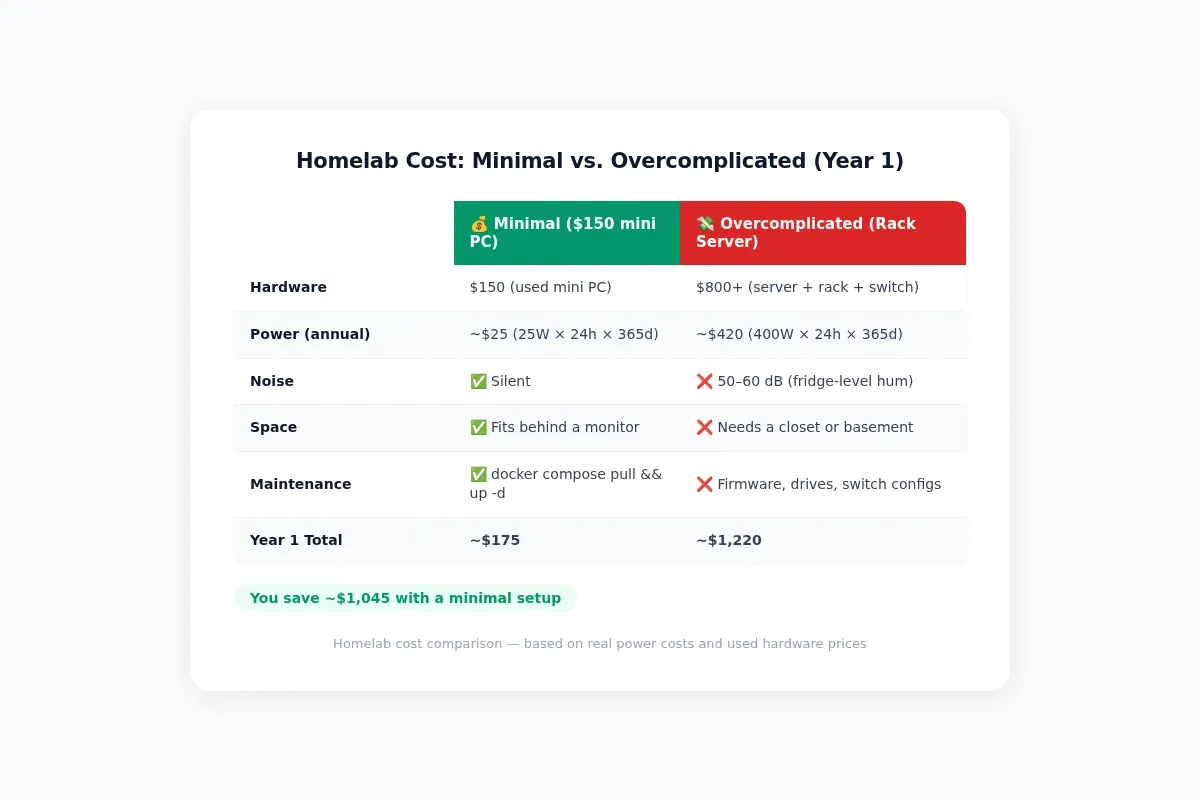
That $1,000+ difference buys you… what? Faster Plex transcoding you won't notice? Redundant power supplies for a setup where "downtime" means you can't watch a movie for an hour?
If you're running a business from your homelab, the overcomplicated setup might make sense. For the rest of us, the mini PC wins on every metric that matters: cost, noise, power, and time spent on maintenance.
How to Start Your Minimal Homelab Today
If you're reading this and feeling overwhelmed by homelab Reddit, here's your escape plan:
1. Buy a used mini PC or thin client. Look for an Intel N100 or better with 16 GB RAM. The BMAX Pro 8, a used Dell Optiplex Micro, or a Lenovo ThinkCentre Tiny — all under $200 on eBay. Avoid anything with a fan loud enough to hear across the room.
2. Install Ubuntu Server LTS. I’d start with Ubuntu Server LTS. Debian, Arch, and Proxmox are all valid, but Ubuntu gives beginners the easiest path because most Docker tutorials target it. Ubuntu Server has the largest package ecosystem, the most Docker Compose tutorials written for it, and it just works. You can switch later.
3. Install Docker and Docker Compose. Follow the official Docker install guide. Three commands, done.
4. Pick ONE service to start. Plex. Pi-hole. Home Assistant. Whatever you'd actually use tomorrow. Deploy it with a compose file. Get it working. Use it for a week. Then add the next thing.
5. Check your compose file into a private GitHub repo. If your SSD dies, you should be able to rebuild your entire setup by cloning a repo and running docker compose up -d. That's the goal. If you need a 20-step recovery procedure involving Proxmox backups and VM snapshots, you've already overcomplicated it.
6. Resist the urge to add infrastructure. You don't need Traefik when your services listen on different ports. You don't need a reverse proxy when you can just type 192.168.1.50:32400 in your browser. You don't need VLANs when everything runs on one machine. Add complexity only when a specific problem demands it.
Build What You'll Actually Use
The best homelab isn't the one with the most blinking lights or the highest spec sheet. It's the one that runs the services you use every day, stays out of your way, and doesn't make you dread update weekends.
If a $150 mini PC handles everything on your list, you've won. You've got a homelab that works, costs nearly nothing to run, and leaves you with time to actually use the services you're hosting — instead of spending every Saturday debugging why the Kubernetes ingress controller won't pick up your new cert.
Start small. Add only what you need. And if someone on Reddit tells you that you need a 10Gbps switch for your Plex server, close the tab.
