


Every homelab goes through the same cycle. You start with one service. Then you discover three more. Then you're running 25 Docker containers and half of them haven't been touched in six months.
I know because I did it. Last year I audited my Docker Compose file and deleted 12 containers I hadn't logged into since the day I spun them up. Pi-hole? Cool project, but it broke too many normal websites and apps. Home Assistant? Impressive, but I don't own a single smart bulb. Grafana? Beautiful dashboards showing me that nothing was wrong.
The services that survived weren't the flashiest ones. They were the ones I actually reached for — the apps that solved a real problem I had on a Tuesday afternoon, not a hypothetical problem I might have someday.
Here are the ten that earned their place. All of them run on a BMAX Pro 8 mini PC with Docker Compose — no rack, no Kubernetes, no blinking switches. I've written about homelab setup on a mini PC with Proxmox before, so I won't rehash the hardware details. This is the concrete list.
1. Plex Media Server
Plex is the reason I built a homelab in the first place. I wanted one clean interface for my own media library, backups, and files I legally own.
It runs in Docker with a mounted media volume and hardware transcoding passed through to Intel QuickSync (UHD Graphics). Transcoding 1080p content uses the GPU's dedicated media engine and barely touches the CPU. I stream to two TVs and my phone — the mini PC handles all three without breaking a sweat.
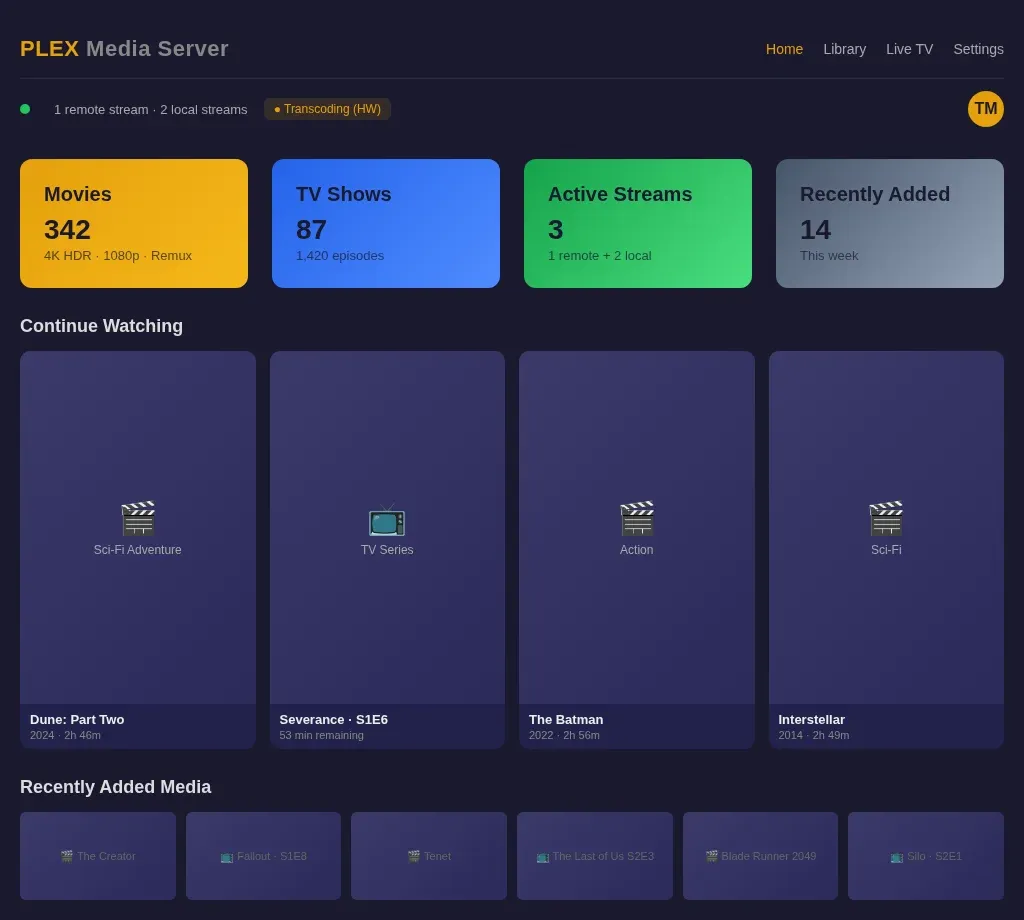
The real win is Plex's native apps. The TV apps work flawlessly. Offline sync downloads episodes to my phone for flights. And the skip-intro button is genuinely one of the best quality-of-life features in any piece of software I've used.
Docker command if you're starting fresh:
docker run -d \
  --name plex \
  --network host \
  -v /path/to/media:/data \
  -v /path/to/plex-config:/config \
  plexinc/pms-docker
2. Radarr, Sonarr, and qBittorrent
I'm grouping these because they work as a unit. Radarr tracks movies, Sonarr tracks TV shows, and qBittorrent handles the downloads. Together they form a pipeline: you add a show to Sonarr, it monitors RSS feeds for new episodes, sends the magnet link to qBittorrent, and renames and organizes the file when it's done. Plex picks it up automatically because everything lands in the right folder.
This stack saves me about 90 minutes a week. No more checking release schedules. No more manual file renaming. No more "wait, did I already download this episode?" It just works. Use this only for media you have the legal right to download or archive.
The privacy angle matters too. qBittorrent connects through a VPN container (I use Gluetun with Mullvad), so the torrent traffic never touches my ISP's view. If the VPN drops, qBittorrent loses its network — the kill switch is architectural, not a setting you forget to enable.
3. Hermes Agent
Hermes is an always-on AI assistant that lives on my mini PC. It's not a chatbot you open in a browser — it's a background agent that manages my kanban board, runs cron jobs, monitors systems, and answers questions through any device on my network.
I wrote a full setup guide for Hermes on a mini PC, but the short version: it runs as a Docker container, connects to an LLM provider (I use DeepSeek through OpenRouter), and exposes an API that my other tools call. When a deployment pipeline finishes, n8n pings Hermes, and Hermes tells me in the kanban thread. When I need a quick shell command, I ask Hermes instead of opening a search engine.
It handles about 40-50 queries a day across my kanban board, terminal sessions, and automated cron jobs. The monthly API cost is under $15, which is less than a ChatGPT Plus subscription and works across every device I own.
4. n8n
n8n is workflow automation — think Zapier, but self-hosted and free. I use it for three main things:
- Blog cross-posting: When I publish a post on Ghost, n8n formats and pushes it to dev.to, Medium, Facebook, and X. One webhook trigger, five destinations.
- Deployment notifications: My CI pipeline fires a webhook on success or failure. n8n formats the message and posts it to my kanban board through the Hermes API.
- Scheduled RSS-to-social: n8n checks my blog RSS every few hours. If there's a new post, it generates a summary and queues it for social scheduling.
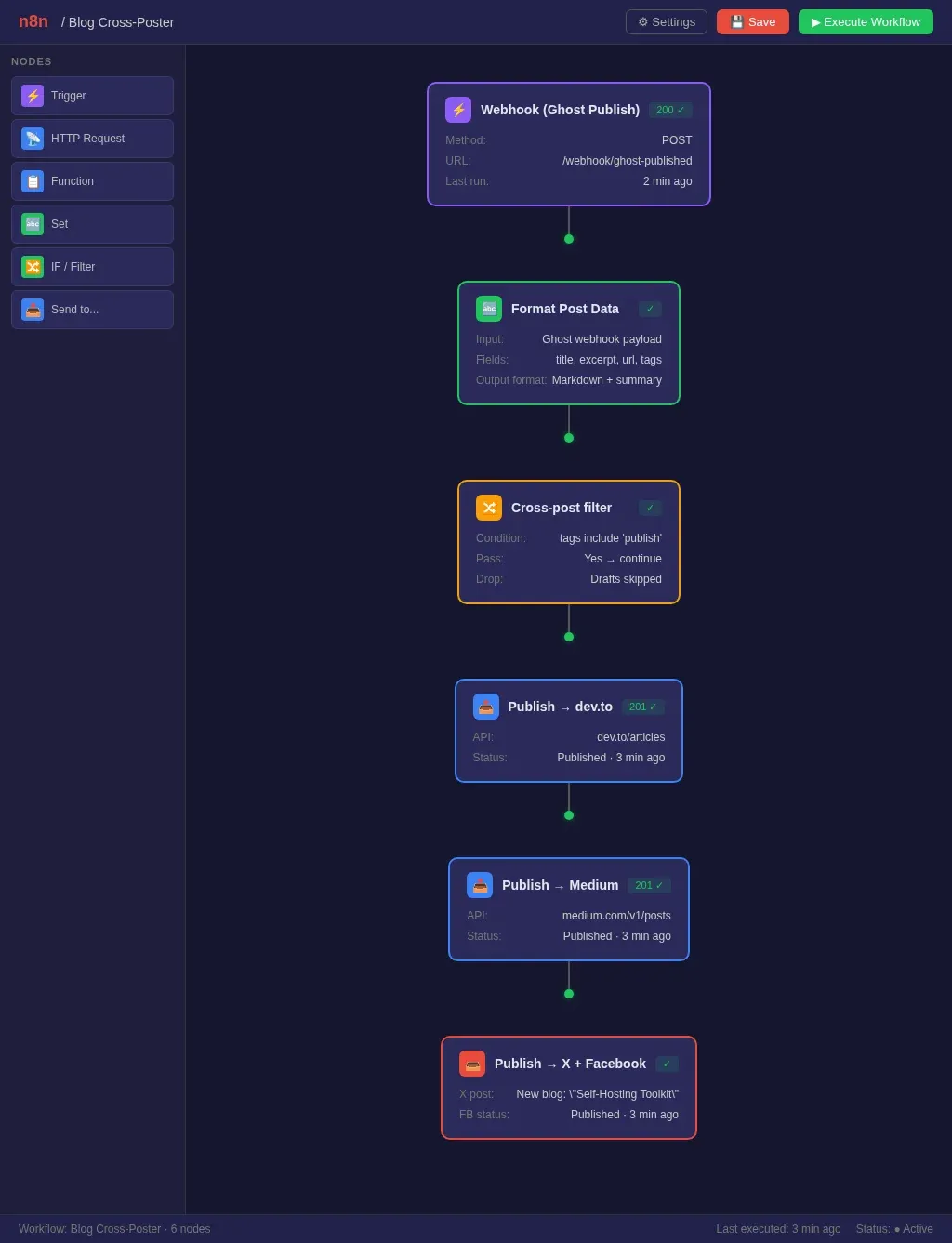
The visual workflow editor makes it easy to iterate. You drag nodes around, test each step individually, and see exactly where something broke. No YAML, no JSON config files. If you've ever debugged a GitHub Actions workflow by pushing 14 commits with echo statements, you'll appreciate this.
5. Uptime Kuma
Uptime Kuma is a dead-simple status monitor. It pings your services every 60 seconds and shows a green/red dashboard. If something goes down, it sends a notification to Discord, Telegram, or a webhook of your choice.
I have it monitoring 18 endpoints: every Docker service, my blog, my kanban board, and a few external APIs my workflows depend on. The whole thing uses about 40 MB of RAM. Compare that to a Prometheus + Grafana + Alertmanager stack, which can eat 2-3 GB before you've configured a single alert.
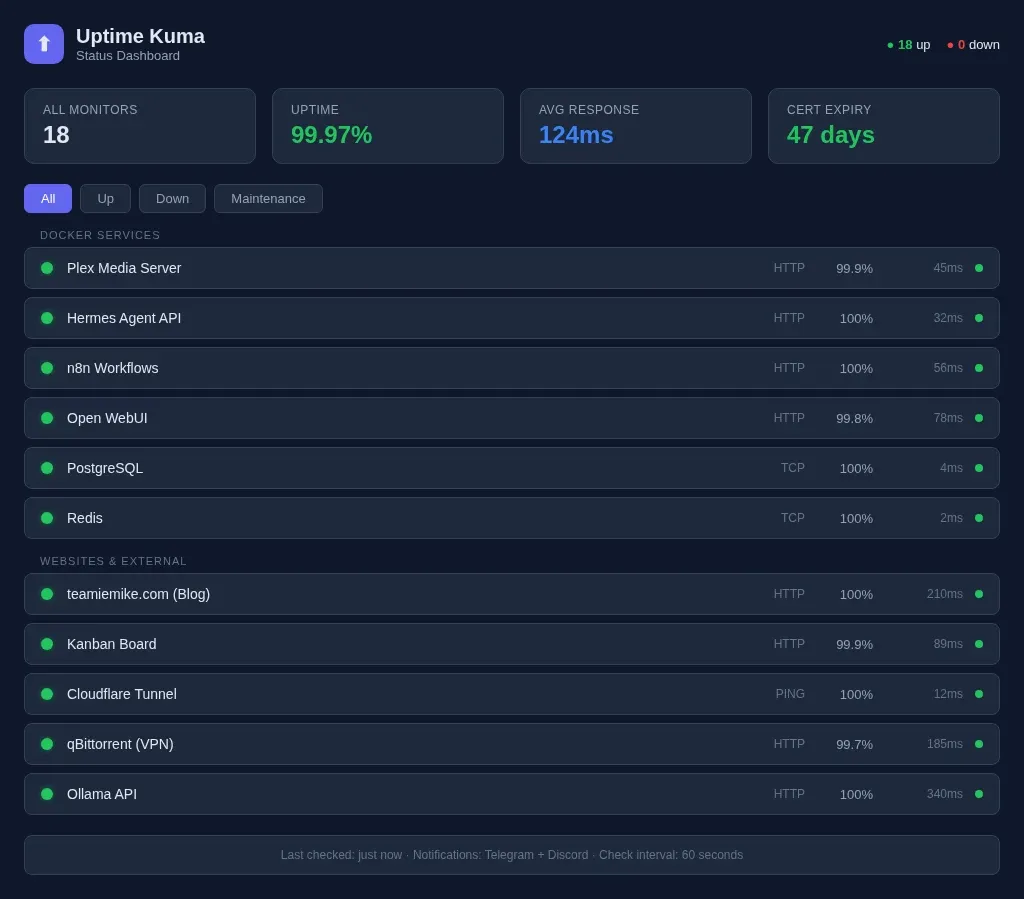
When Plex goes down at 2 AM because the media drive filled up, I know about it within 60 seconds — not when I try to watch something the next evening. That's the difference between monitoring and checking.
6. Ollama
Ollama runs local LLMs without any cloud dependency. I covered
 Techie Mike
in a separate guide, so I'll keep this brief.
On my mini PC with integrated graphics, I run small models: Gemma 3 4B, Llama 3.2 3B, and Phi-4-mini. They're not replacing Claude or DeepSeek for serious reasoning tasks, but they handle three things well: quick coding questions, first drafts of short-form content, and text classification / summarization. No API keys, no rate limits, no one else's server reading my prompts.
The real win is privacy. When I'm working on something I don't want touching a cloud provider — client code, internal documentation drafts, project planning — I switch to the local model. It's slower, but it stays on my machine.
7. Open WebUI
Open WebUI gives Ollama a ChatGPT-style interface. It also connects to OpenAI-compatible APIs, so I can switch between local models and cloud providers in the same chat window.
Features I use daily: chat history with search, model switching mid-conversation, and the document upload tool that lets you feed a PDF or code file into context. The admin panel also handles user management if you're sharing the instance with family or a small team.
It runs in Docker with about 300 MB of RAM when idle. Pair it with Ollama, and you've got a private AI stack that works in any browser on your network.
8. PostgreSQL
I run three Postgres instances — one for my blog, one for development projects, and one for n8n's workflow database. Postgres in Docker is trivial:
docker run -d \
  --name postgres \
  -e POSTGRES_PASSWORD=yourpassword \
  -v postgres_data:/var/lib/postgresql/data \
  -p 127.0.0.1:5432:5432 \
  postgres:17
Each instance uses about 80-100 MB of RAM at idle. The named volume means database files survive container recreation. I back up to a mounted external drive once a week with a simple pg_dump cron job — nothing fancy.
Could I use SQLite for most of this? Probably. But Postgres gives me connection pooling, concurrent writes, and a tool ecosystem that SQLite doesn't match. When you're running multiple services that all need a database, one Postgres instance with separate databases is cleaner than five SQLite files scattered across Docker volumes.
9. Redis
Redis is my caching layer and message broker. I run it alongside Postgres for apps that need fast key-value lookups — session storage, rate limiting, job queues.
Redis is straightforward to set up with Docker Compose — persistence, authentication, and memory tuning are all configurable in a single compose file. At baseline it uses about 30 MB of RAM, responds in microseconds, and has eliminated many of my "why is this page slow?" moments under read-heavy load.
The real value is in n8n workflows. Redis is useful when running n8n in queue mode, where workers need a shared job queue. It does not magically fix every failed workflow, but it makes larger automation setups more reliable.
10. Cloudflare Tunnel
This one isn't a traditional "app" in the Docker sense — it's a daemon called cloudflared that creates an encrypted tunnel from my homelab to Cloudflare's edge network. I mainly use Cloudflare Tunnel for admin tools, dashboards, and SSH access — not as a bulk media streaming pipe.
Before Cloudflare Tunnel, remote access meant either a VPN (annoying to set up on every device) or port forwarding (terrifying from a security standpoint). For browser-based admin tools, Cloudflare Access gives me one-time PIN authentication. For media apps like Plex, I treat remote access separately and avoid putting native app traffic behind browser-only authentication.
I also use it for SSH access when I'm away from home. A single cloudflared access ssh command connects me to my mini PC without exposing port 22 to the internet. It works from my phone, from airport Wi-Fi, from anywhere.
What Didn't Make the List
For every app that survived, three didn't. Some were good but not daily-driver material (Homepage dashboard — beautiful, but I check Uptime Kuma once a day and don't need a landing page). Some were overkill (Grafana + Prometheus — stunning dashboards, 2 GB of RAM, and zero actionable alerts I couldn't get from Uptime Kuma). Some were genuinely useful but belonged on a different machine (Frigate NVR — great software, needs a dedicated box with a Coral TPU).
The pattern I've learned: if you don't use it this week, you won't use it next month. Delete it. A homelab audit every few months keeps your setup lean and your Docker Compose file readable.
The Full Stack at a Glance
Approximate idle RAM varies heavily by image, workload, and configuration.
| # | App | What It Does | RAM (approx.) |
|---|---|---|---|
| 1 | Plex | Media streaming | 400 MB |
| 2 | Radarr + Sonarr + qBittorrent | Media automation | 600 MB |
| 3 | Hermes Agent | AI assistant | 200 MB |
| 4 | n8n | Workflow automation | 350 MB |
| 5 | Uptime Kuma | Status monitoring | 40 MB |
| 6 | Ollama | Local LLM inference | 2-4 GB (with models) |
| 7 | Open WebUI | LLM chat interface | 300 MB |
| 8 | PostgreSQL | Relational database | 300 MB (3 instances) |
| 9 | Redis | Caching / message broker | 30 MB |
| 10 | Cloudflare Tunnel | Secure remote access | 50 MB |
Total baseline (without Ollama models loaded): about 2.3 GB of RAM. With Ollama serving a 4B model: roughly 4-5 GB. My mini PC has 24 GB — this stack leaves plenty of room for whatever I pick up next month.
The Real Lesson
Self-hosting isn't about running the most software. It's about running software you trust, on hardware you control, solving problems you actually have. Every service on this list answers a specific "I need to..." that comes up in my actual workday. None of them are there because a YouTube video made them look cool.
If you're starting out, pick three from this list and get them running. Don't build the whole thing at once. Plex, Uptime Kuma, and Cloudflare Tunnel give you streaming, monitoring, and remote access — that's a solid foundation. Add the rest when you feel the specific pain point each one solves.
