

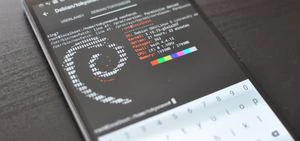
Imagine pulling out your phone, opening a terminal, and running the same penetration testing tools that security professionals use on their laptops. No laptop, no bulky setup — just your Android phone and a few apps. For more details, check out Turn an Android Phone into a Hacking Device Without Root. For more details, check out Unlocking Your Internal Drives After Windows 11 Installation. For more details, check out 📝 Cambridge AS & A Level Computer Science June 2025 Paper 2 .
You might think you need root access to do this. You don't.
With a free app called UserLAnd, you can install a full Kali Linux environment on your phone without rooting it, without voiding your warranty, and without wiping your device. Here's how.
What is UserLAnd?
UserLAnd, created by UserLAnd Technologies, is an Android app that makes installing Linux distributions quick and effortless — no root required. It creates a userspace Linux environment using PRoot, an open-source tool that emulates filesystem root access.
Here's how it works at a technical level: normally, applications communicate with the Linux kernel through system calls. PRoot intercepts these calls and manipulates them to emulate users and permissions. To your apps, it looks like you're running as root. To Android's kernel, you're just another app.
UserLAnd supports Debian, Ubuntu, and — crucially — Kali Linux. The Kali filesystem is pre-built and available directly in the app, so you no longer need to manually import the Kali repository.
All the filesystems are disposable too. Mess one up? Delete it and create a new one in minutes.
Limitations: Without root, Android's Wi-Fi interface can't switch to monitor mode. So traditional Wi-Fi hacking tools (Aircrack-ng, Kismet) won't work. But there's still a ton you can do — SQL injection, web scanning, password cracking, enumeration, and more.
What You'll Need
- An Android phone with at least 3GB of RAM (4GB+ recommended)
- About 1GB of free storage for the initial install (more for tools)
- A good SSH client app (ConnectBot or JuiceSSH)
- A Bluetooth keyboard (optional but highly recommended)
- Hacker's Keyboard app from Play Store (essential if no Bluetooth keyboard)
Step 1: Install UserLAnd
Go to the Google Play Store or F-Droid and install UserLAnd. It's free, open source, and doesn't ask for any special permissions.
- Play Store: UserLAnd
- F-Droid: Search for "UserLAnd"
Step 2: Install an SSH Client
UserLAnd now includes built-in SSH functionality, so this step is technically optional. But having a dedicated SSH client gives you more control over your session.
I recommend ConnectBot (open source, simple, regularly updated) or JuiceSSH (more features, more polished). Both are on Google Play and F-Droid.
ConnectBot is easier for beginners. If you plan to use this regularly, JuiceSSH's session management is better.
Step 3: Create Your Kali Filesystem
Open UserLAnd and:
- Tap the Apps tab
- Tap Refresh and wait for the distribution list to populate (takes a minute on first load)
- Select Kali
- Enter a username, password, and VNC password
UserLAnd downloads the necessary filesystem from its GitHub repository. The time varies wildly — anywhere from 5 to 20 minutes depending on your phone's CPU and internet speed.
Note on storage: The Kali filesystem is about 800MB compressed. Make sure you have enough free space.
If Installation Fails
In my testing, UserLAnd sometimes returned a "Could not extract filesystem. Something went wrong" error on the first attempt. Removing and reinstalling the app resolved it. If the error persists, open a GitHub issue on the UserLAnd repository.
Step 4: Start Your Session
When installation completes:
- Go to the Sessions tab
- Tap your new Kali session
- UserLAnd will open ConnectBot (or use its internal SSH client)
- Accept the SSH connection prompt (tap Yes)
- Enter the password you created
You're now running Kali Linux on your phone. The terminal is your workspace.
Bluetooth keyboard tip: Typing commands on a phone keyboard is painful. Pair a Bluetooth keyboard, or install Hacker's Keyboard from the Play Store — it adds function keys, Ctrl, Alt, and Tab to your on-screen keyboard, making terminal work actually usable.
Step 5: Update the System
The first thing to do in any new Linux install is update:
su\napt update && apt full-upgrade -y\nStarting with su gives you a root shell (within the PRoot environment — Android's kernel sees you as a normal app).
Step 6: Install Essential Tools
The base Kali filesystem is minimal. Here are the packages I install on every phone Kali setup:
\n\n| Package | \nWhy You Need It | \n
|---|---|
screen | \nTerminal multiplexer — keeps sessions alive when SSH drops | \n
net-tools | \nifconfig, netstat, route — basic networking | \n
netcat-openbsd | \nTCP/UDP connections, port scanning, backdoors | \n
curl | \nDownload files, test APIs | \n
wget | \nAlternative downloader | \n
git | \nClone repositories from GitHub | \n
nano | \nTerminal text editor (or vim if you're brave) | \n
gnupg | \nEncrypt files, import signing keys | \n
neofetch | \nDisplays system info with Kali logo — for screenshots | \n
Install them all with:
apt install screen net-tools netcat-openbsd curl wget git nano gnupg neofetch -y\nWhy screen is essential: Android doesn't handle long SSH sessions well. If your connection drops (and it will), any running command dies with it. Screen creates persistent sessions that survive disconnects.
Step 7: Install Security Tools
Since you installed Kali, the Kali repositories are already configured. You can install most tools directly:
apt install nmap sqlmap nikto gobuster dirb hydra -y\nImportant: Nmap can be flaky under PRoot. Some scan types fail because PRoot doesn't fully support raw sockets. As UserLAnd improves, this gets better. For now, you might need to fall back to TCP connect scans (-sT) instead of SYN scans (-sS).
What You Can Do With This Setup
Even without Wi-Fi hacking capabilities, your phone Kali can handle:
- Web application testing — sqlmap, Nikto, Gobuster
- Network enumeration — Nmap, Netcat, DNS tools
- Password attacks — Hydra, John the Ripper
- Exploitation — Metasploit (manual install, works with some modules)
- Social engineering — SET (Social Engineering Toolkit)
- Crypto and stego — Hashcat, steghide, GPG
- Scripting — Python, Bash, Perl
Think of it as a portable auditing toolkit that fits in your pocket. You won't run a full penetration test from your phone, but you'll have enough to do serious reconnaissance and targeted attacks.
What Won't Work
Be realistic about the limitations:
- No monitor mode — Aircrack-ng, Bettercap's Wi-Fi features won't work
- Nmap SYN scans may fail under PRoot
- Metasploit needs manual installation and some modules crash
- Limited CPU — password cracking is painfully slow
- Battery drain — intensive tools eat through your battery
The phone excels as a reconnaissance and web app testing platform. Leave the heavy cracking and full pentests for your laptop Kali.
Quick Reference
\n\n| Item | \nDetail | \n
|---|---|
| App | \nUserLAnd (free, Play Store or F-Droid) | \n
| Distro | \nKali Linux (built-in) | \n
| SSH client | \nConnectBot (recommended) or built-in | \n
| First command | \nsu && apt update && apt full-upgrade -y | \n
| Essential tool | \nscreen (for persistent sessions) | \n
| Root required | \nNo | \n
| Wi-Fi hacking | \nNo (no monitor mode) | \n
| Web app testing | \nYes | \n
| Storage needed | \n~1GB initial, grows with tools | \n
Running Kali on your phone isn't a replacement for a proper laptop setup, but it's an incredible addition to your toolkit. It fits in your pocket, boots instantly, and nobody looks twice at someone using their phone. For quick recon, web app testing, and on-the-go security work, it's hard to beat.
Give UserLAnd a try — and leave the developers a good rating while you're at it. They deserve it for making this possible without root.
