


Encryption is great, but it's obvious. When someone sees a blob of ciphertext, they know you're hiding something — they just don't know what. Steganography takes a different approach: hide the message so well that nobody even knows it's there. For more details, check out Steganography Hide Data using Kali Linux. For more details, check out How to stay Anonymous online using the Parrot Sec OS. For more details, check out How Hackers Actually Get Into Facebook Accounts (And How to .
The word comes from the Greek steganos ("covered, concealed") and graphein ("writing"). Johannes Trithemius first used it in 1499 in his book Steganographia, which was disguised as a book about magic. That's the whole point — the message hides in plain sight.
In this guide, I'll show you how to use steghide on Kali Linux to embed secret messages inside innocent-looking image files, then extract them again. No complex setup, no fancy tools — just a terminal and a few commands.
Steganography vs Cryptography
Here's the key difference:
- Cryptography hides the content of a message. You can see it's encrypted, but you can't read it.
- Steganography hides the existence of a message. Nobody even knows it's there.
The ideal approach? Use both. Encrypt your message first, then hide the encrypted data inside an image. Even if someone discovers the steganography, they still can't read the message.
Installing Steghide on Kali
Steghide is a command-line tool that embeds data inside image and audio files. It works with JPEG, BMP, WAV, and AU files — common formats that nobody looks twice at.
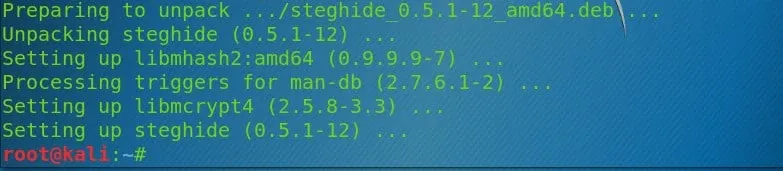
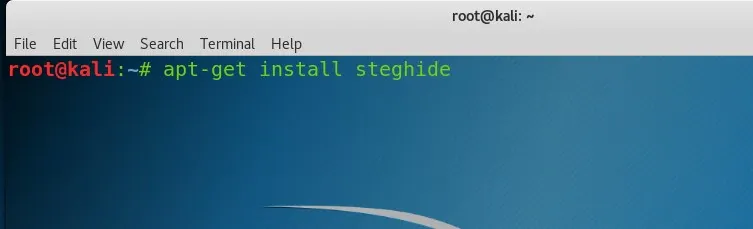
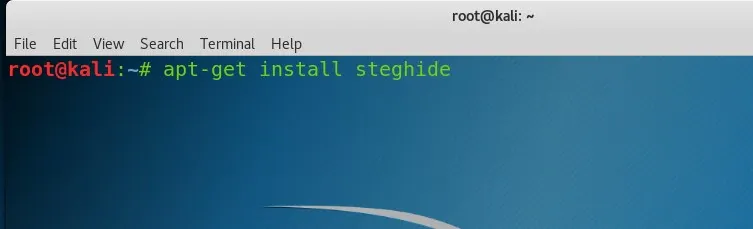
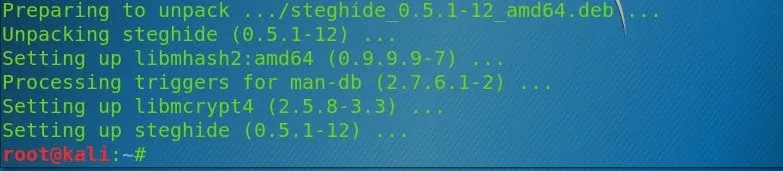
Kali Linux doesn't always include steghide by default. Install it with:
sudo apt update
sudo apt install steghide -y
That's it. The tool weighs in at under 500KB.
What about other formats? Steghide only supports those four file types. If you want to hide data in PNG or MP3 files, you'll need different tools like outguess or mp3stego.
How Steghide Works
Steghide uses the Least Significant Bit (LSB) technique. Put simply, it tweaks the last bit of certain pixels in an image. Changing one bit out of 24 (in an RGB image) is invisible to the human eye. You can't tell the difference between the original image and one with a hidden message.
The file size changes slightly, but by such a small amount that it's almost impossible to notice without comparing the exact checksums.
Step 1: Prepare Your Files
First, create a text file with your secret message:
echo "Life is a big adventure" > secret.txt
Now grab an image to hide it in. I used a picture of a cute kitten, but any JPEG or BMP will work. Place both files in the same directory.
ls -l
# Output shows:
# -rw-r--r-- 1 root root 197289 Apr  6 08:27 cute-kitten.jpg
# -rw-r--r-- 1 root root     24 Apr  6 08:28 secret.txt
Step 2: Embed the Secret Message
Now embed the text file inside the image:
steghide embed -ef secret.txt -cf cute-kitten.jpg
You'll be prompted for a passphrase:
Enter passphrase:
Re-Enter passphrase:
embedding "secret.txt" in "cute-kitten.jpg"... done
The -ef flag is the "embed file" (what you're hiding) and -cf is the "cover file" (what you're hiding it in).
Check the file size before and after:
ls -l
# Original: 197289 bytes
# After:    197296 bytes — only 7 bytes larger!
Nobody is going to notice a 7-byte difference in a 197KB image file. That's the beauty of steganography.
The passphrase matters. Without it, even if someone suspects the image contains hidden data, they can't extract it without the password. This is the cryptography part of steganography.
Step 3: Extract the Hidden Message
To extract the hidden message, you need the passphrase and the stego-image (the image with data embedded in it):
steghide extract -sf cute-kitten.jpg
You'll be prompted for the passphrase:
Enter passphrase:
wrote extracted data to "secret.txt".
Delete the original secret.txt and extract again to verify:
rm secret.txt
steghide extract -sf cute-kitten.jpg
# Enter passphrase:
# wrote extracted data to "secret.txt".

cat secret.txt
# Life is a big adventure
It works. Your message survived the round-trip.
Real-World Uses of Steganography
Steganography isn't just a party trick. It's used in the real world:
- Whistleblowers hide documents inside images to bypass content filters
- Journalists in restrictive countries communicate without triggering surveillance
- Malware authors hide command-and-control traffic inside image requests
- Digital watermarking companies embed copyright data inside their media files
It's also a common topic in security certification exams. CompTIA Security+ and the CEH both cover steganography fundamentals.
Detecting Steganography
If you're on the defensive side, detecting steganography is harder than using it. Some approaches:
- File size anomalies — an unusually large JPEG for its dimensions
- Statistical analysis — LSB techniques leave detectable patterns in the color distribution
- Steganalysis tools —
stegdetectandStegExposecan flag suspicious files - Metadata mismatches — EXIF data that doesn't match the apparent content
The short version: if someone wants to hide data and knows what they're doing, you probably won't catch them by eyeballing files.
Going Further with Steganography Tools
Kali includes several other steganography tools worth exploring:
| Tool | Best For |
|---|---|
steghide |
JPEG, BMP, WAV, AU files |
outguess |
Another JPEG steganography tool |
stegsolve |
Java-based stego analysis tool |
zsteg |
PNG and BMP LSB detection |
binwalk |
Hiding data inside other binaries |
foremost |
Carving hidden files from disk images |
To install them:
sudo apt install steghide outguess stegsolve zsteg binwalk foremost -y
Summary
Steganography lets you hide data in plain sight. With steghide on Kali Linux, the process is:
steghide embed -ef secret.txt -cf cover-image.jpg— hide your messagesteghide extract -sf cover-image.jpg— retrieve it later- The passphrase protects access even if the image is discovered
The combination of steganography and encryption is powerful. Encrypt your message with GPG first, then hide the encrypted file — you get the best of both worlds. Nobody knows the message is there, and if they find it, they can't read it.
Now go hide something. Or go look for hidden things in images you already have. You might be surprised what you find.
