
The most educational server in the room is usually the worst one.
Give students unlimited cloud credits and they can launch machines all afternoon without learning much about limits. Give them a battered $20 office desktop with 4 GB of RAM and an old hard drive, and suddenly every operating system lesson becomes real. Containers fight for memory. Disk latency stops being a diagram and starts being the reason the machine feels stuck. "Virtual memory" is no longer a sentence to memorise for an exam. It is the pause they can feel in their hands.
I think we make systems teaching too comfortable. Comfortable hardware hides the lesson.
My own homelab is not running on scrap. The Hermes box here is an i7-1255U machine with 24 GB of RAM. My Proxmox node is an i5-8260U with 16 GB. Those are sensible little servers. They are reliable, quiet, and good at real work. But they are almost too polite as teaching tools. They have enough headroom to forgive bad habits. A $20 machine does not forgive anything, and that is exactly why it teaches so well.
A cheap box makes operating systems visible
A lot of CS students meet operating systems through neat definitions: process scheduling, paging, interrupts, secondary storage, background services. The problem is that on decent modern hardware, many of those ideas stay invisible.
On a constrained machine, they stop being invisible.
Open a few browser tabs, pull a container image, start a database, and then watch the machine try to keep up. That is process management with consequences. If a lesson asks a student to explain how memory pressure pushes pages out of RAM and into virtual memory, the answer is no longer abstract. They have already seen the machine slow down when it happens.
That is why I like this topic so much. A cheap server is not just a budget trick. It is a working model of the syllabus.
What a $20 server can actually do
People either romanticise these little boxes or dismiss them. Both are wrong.
A $20 used desktop can do useful work. It can run Linux properly. It can host a reverse proxy, a small Python app, a static site, a local Git service, a DNS blocker, or a couple of light Docker containers. It can teach SSH, permissions, package management, logs, services, backups, and the discipline of keeping a machine tidy.
What it cannot do is pretend to be a modern all-in-one homelab. This is not the box for 25 containers, heavy VMs, Plex transcoding, or local AI models. If that is your goal, skip the fantasy and buy stronger hardware. I wrote about that trade-off in Chuwi Minibook X vs BMAX Pro 8 — Which Budget Homelab Machine?. If you can stretch to a proper mini PC, life gets easier very quickly.
But easier is not always better for learning.
A small machine forces choices. Do you really need a database for this project, or will SQLite do? Do you need another container, or have you just become lazy because Docker Compose makes laziness easy? Do you actually understand what is running on the box, or have you stacked services until the machine became a mystery?
That is systems thinking, and expensive hardware often delays it.
RAM is where the lesson starts
If I had to pick one concept that cheap hardware teaches best, it would be memory pressure.
Students hear that RAM is fast and disks are slow. Fine. They hear that virtual memory uses secondary storage when RAM runs short. Also fine. Then they sit an exam and write the sentence back.
A 4 GB machine makes them understand it.
Run these before and during the experiment:
free -h
vmstat 1
dmesg | grep -i oom
Use free -h for a memory snapshot, vmstat 1 to watch activity live, and the dmesg command afterward if a process disappears.
That is a better lesson than three slides full of definitions.
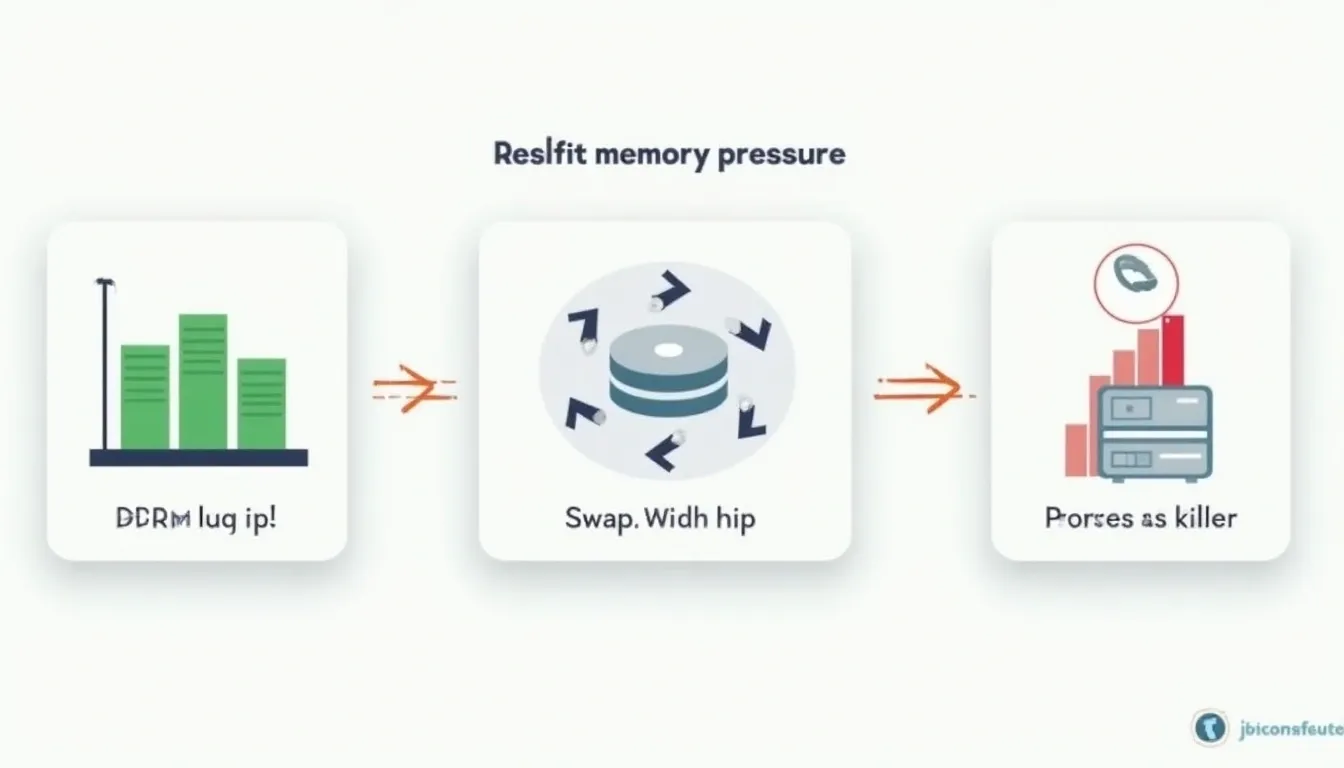
When available memory shrinks, swap activity rises, and the system eventually cannot satisfy another memory request, the kernel may invoke the OOM killer. Then the student can see the operating system making trade-offs in real time. Suddenly the OOM killer is not a strange term from a textbook. It is the reason the database vanished. The machine is telling them, very bluntly, that every service has a cost.
This is also where bad habits get exposed. Students love overbuilding. They install a full stack because a tutorial told them to. On a roomy cloud VM, that habit survives for months. On a $20 box, it gets punished in an hour. Good. Better to learn restraint early.
I would rather teach a student to respect 4 GB properly than let them waste 32 GB carelessly.
Old disks teach I/O bottlenecks without any speech from me
RAM usually fails first, but the disk is where the machine becomes honest.
A cheap server often comes with the sort of storage that makes modern users impatient within minutes. That sounds like a drawback. In a classroom, it is gold.
Start an update, unpack a container image, and do a few file operations at the same time. On a modern NVMe drive, the box may shrug. On an old mechanical disk, the machine starts queueing work badly enough that everyone notices. The operating system is still functioning, but it is clearly waiting on storage.
That moment matters because it connects three ideas students often treat separately: throughput, latency, and contention. They stop thinking of storage as a silent cupboard where files live and start seeing it as a shared resource that can become the bottleneck for everything else.
It also teaches one of my favourite engineering rules: when a cheap upgrade fixes a structural bottleneck, do that first. On old office PCs, that usually means fitting even a modest SSD before doing anything clever. A tiny SSD will do more for the learning experience than another hour spent pretending a dying hard drive is "good enough."
Weak CPUs teach scheduling and background noise
CPU scheduling is another topic that sounds clean in notes and messy on real hardware.
On a budget desktop, background work stops being background in the magical sense. You can feel when the box is busy. A package install, a container restart, a compression job, and a browser tab all want time on the processor. The machine cannot hide the queue.
That is why I like giving students boring commands on weak machines. Open top. Start something heavier than the box likes. Watch what gets CPU time and what has to wait. Talk about foreground responsiveness, daemon work, and why "the computer is slow" is often really "the scheduler is making a sensible choice under pressure."
A strong machine can mask poor judgement. A weak one teaches prioritisation.
That lesson scales upward too. Once students understand why a small box struggles, they make better decisions later on bigger hardware. They stop assuming another service is free. They ask what it will cost in CPU time, memory, and storage pressure. That mindset matters far more than memorising a definition of round-robin scheduling and forgetting it a week later.
This is why I do not worship free cloud credits
Cloud labs have their place. I use them when they fit. But I do not think they are a good first teacher for systems thinking.
A cloud dashboard gives students the illusion that resources arrive by menu. Two vCPUs here. Eight gigabytes there. Another volume if you feel like it. The machine appears from nowhere and, just as importantly, the machine disappears from the student's mind. Hardware becomes abstract too early.
A cheap local box does the opposite. It makes every resource visible. It makes waste obvious. It teaches that there is no such thing as "just install one more thing" when the machine has no spare room.
That is a much healthier starting point.
If a student learns on constrained local hardware first, then moves into cloud platforms later, they usually make better choices. They size services more sensibly. They monitor memory sooner. They understand why idle background tasks matter. They respect logs and backups because they have already broken a real machine once or twice.
That is a better outcome than teaching someone to click "bigger instance" every time they hit trouble.
What I would tell students to buy in Thailand
The exact listings change all the time, so I would not pretend there is one magic model. But when I say "$20 server" in Thailand, I mean the sort of ex-office Dell OptiPlex, HP ProDesk, or Lenovo ThinkCentre box that turns up around ฿700-฿1,000 with 4 GB of RAM and a hard drive still inside it. That is not glamorous hardware. It is exactly the point.
Buy ex-office hardware, not somebody else's failed gaming experiment.
Old office desktops are boring, and boring is what you want. They are easier to service, usually cleaner inside, and more predictable than mystery machines built from leftovers. Ask the seller to boot into BIOS. Check the RAM amount properly. Check whether storage is a hard drive or an SSD. Listen for ugly fan noise. Look for missing screws, broken front ports, and proprietary power supplies that will annoy you later.
If the machine only has a hard drive, budget for a small SSD immediately. If it has 4 GB of RAM, treat that as a teaching box, not a forever server. If you can find 8 GB cheaply, take it. That is the point where Linux starts to feel less like punishment and more like a platform.
And if your budget can stretch beyond the bargain-bin tier, do it deliberately. A modest mini PC is still a far better long-term homelab host. My piece on minimal homelab design with a mini PC and Docker Compose is the route I would recommend once the student understands the basics. For students who want the journey from first Linux box to self-hosting habits, High School to Homelab — A Student's Linux Journey is the right mindset.
The classroom exercise I would actually run
If I were teaching this as a practical lesson, I would keep it brutally simple.
Install Debian. Enable SSH. Add Docker. Run one lightweight web service. Then add one more. Keep free -h, vmstat 1, and journalctl -f open in separate terminals before and after. Now ask the students what changed and why. If the box actually falls over, run dmesg | grep -i oom and make them explain that too.
That is enough.
Do not start with Kubernetes. Do not start with a dozen containers. Do not start with theory-heavy diagrams about "modern distributed systems." Start with one weak machine and one extra service too many. The operating system will do the explaining for you.
That is the real gift of budget hardware. It turns hidden computer science into visible computer science.
What the machine teaches
The point of the $20 server is not that everyone should chase the cheapest hardware on earth. The point is that constrained hardware makes students look at the system instead of waving at it.
On a box like this, they check memory before blaming the app. They notice disk wait before reinstalling Linux. They learn very quickly that background services are not free and that every extra process is spending somebody's RAM, CPU time, or storage I/O.
That is why I would put a grubby used desktop in front of a CS student before I handed over a big cloud budget. When the machine only has a little room to spare, the operating system stops being chapter three in a textbook and starts acting like a real machine with limits.